
Tap to Pay on iPhone: Accept Quick Contactless Payments Right On Your iPhone with Fiuu Virtual Terminal
December 02, 2025
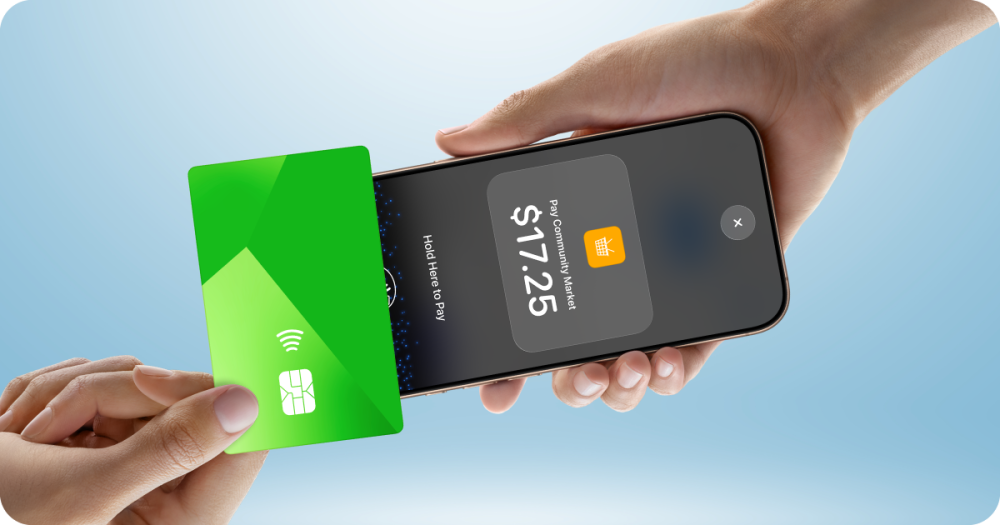
What Is Tap to Pay on iPhone?
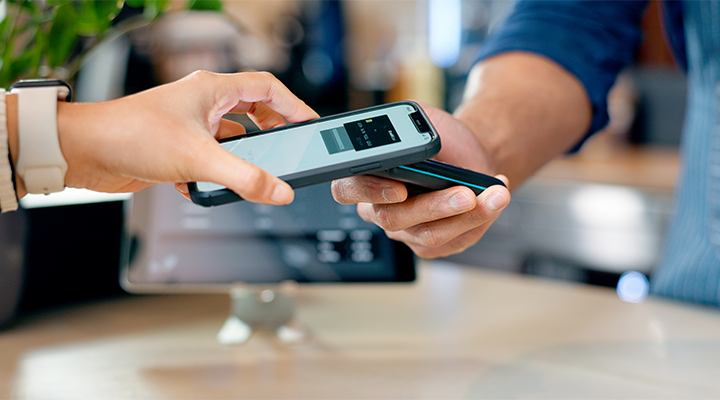
Tap to Pay on iPhone is a quick contactless payment acceptance solution developed by Apple. With Fiuu Virtual Terminal, powering Apple Tap to Pay technology, merchants will be able to securely accept in-person payments from any credit, debit, or prepaid card, as well as digital wallets, using just your iPhone as an EMV card terminal, with no additional hardware required.
How Does It Work?
Apple’s Tap to Pay on iPhone is securely supported by Near-Field Communication (NFC) technology. By using the Fiuu Virtual Terminal app, merchants can securely accept quick contactless card payments directly on their iPhone.
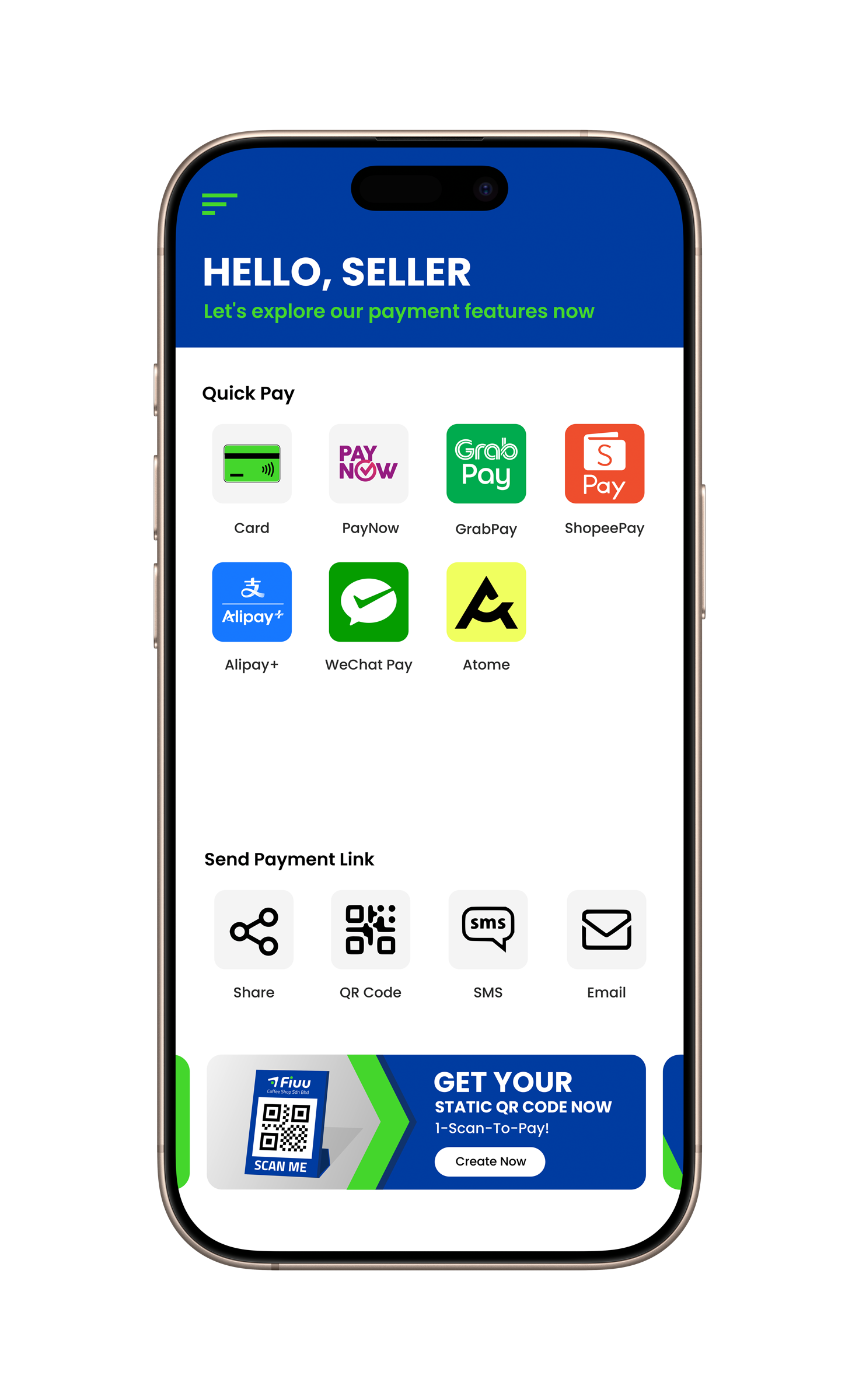
Step 1
In the Fiuu Virtual Terminal app on your iPhone, select the “Card” payment method.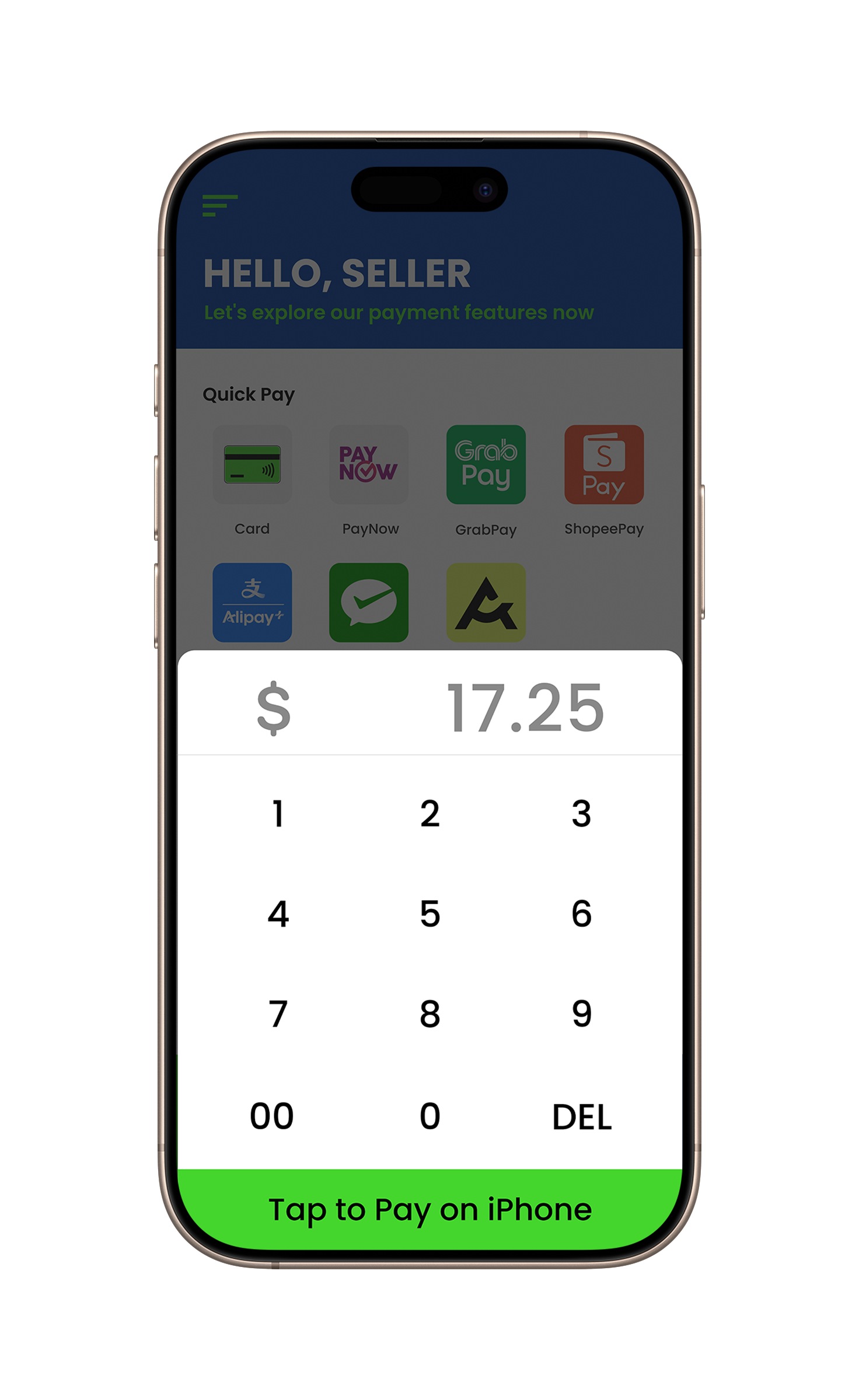
Step 2
Hold your iPhone near the customer’s contactless card or device.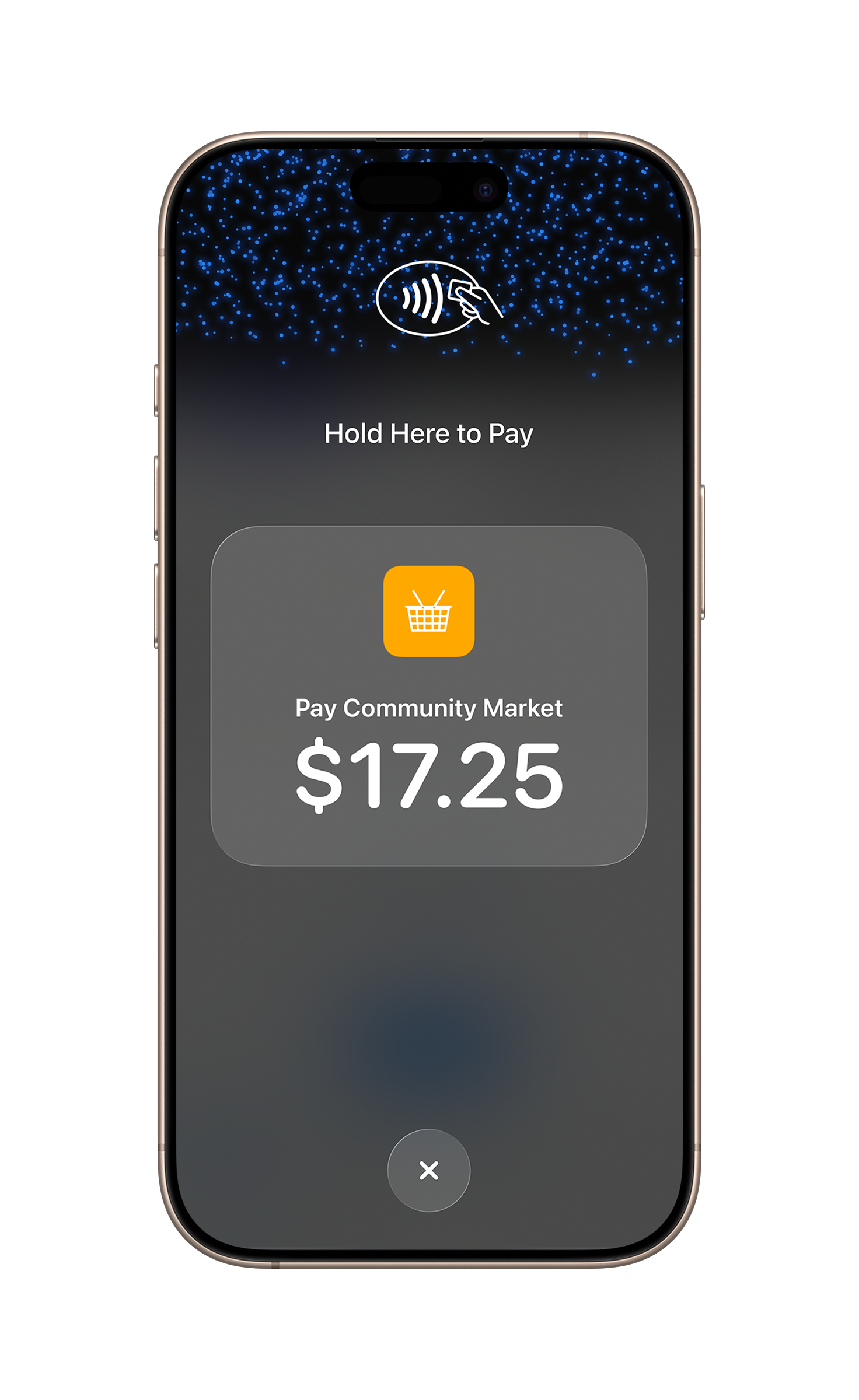
Step 3
The customer taps their card or device on the top of your iPhone, over the contactless symbol, and holds it for a few seconds.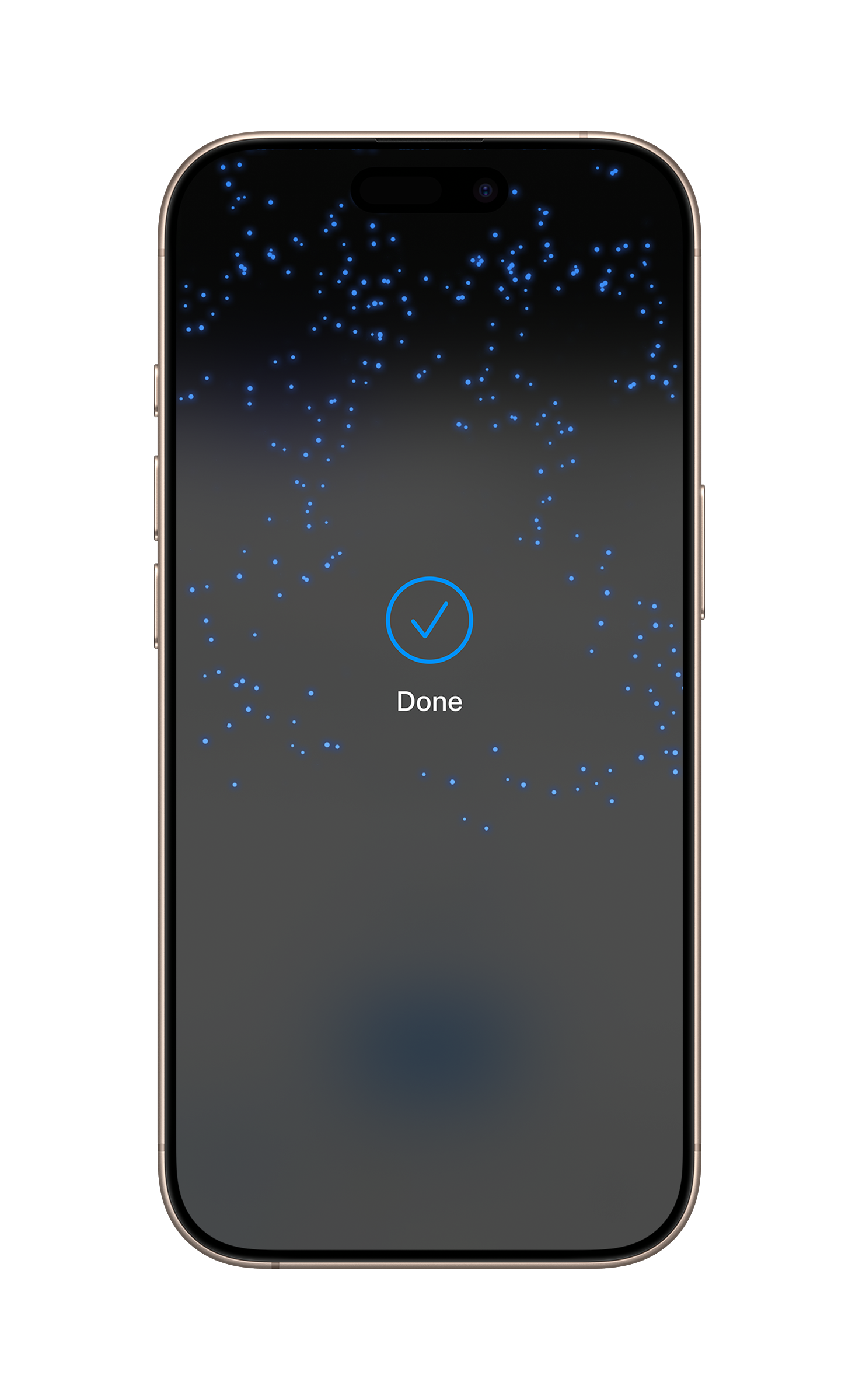
Step 4
When you see the Done checkmark, the card read is complete and the transaction is being processed.Benefits For Your Business
-
Accept payments in minutes, anytime, anywhere
Tap to Pay on iPhone accepts all types of in-person, quick contactless payments right on an iPhone via the Fiuu Virtual Terminal app, from credit, debit, or prepaid cards to Apple Pay1 and other digital wallets. No terminals, readers, or extra devices needed. Setup is quick, and merchants can start accepting payments in 15 minutes after the application. This enables businesses to accept payments on the go, expanding their reach and attracting new customers.
-
Strong security and privacy
Tap to Pay on iPhone uses built-in security and privacy features available on the iPhone to help protect the businesses and customers’ data. When payment is processed, Apple does not store card numbers or PIN information on Apple servers.
-
PIN Transaction Protection
When payment is processed on the iPhone, Tap to Pay on iPhone is designed to prevent all photo, video, screenshot and screen-recording features on the merchant’s iPhone from capturing the customer’s card number or PIN information.
Getting Started Is Easy
Tap to Pay on iPhone requires iPhone XS or later, with the latest version of iOS.
Simply download the Fiuu Virtual Terminal app from the Apple App Store, sign up in one step, and start accepting in-person quick contactless payments within 15 minutes right on your iPhone.
Not an existing merchant? Download Fiuu Virtual Terminal on the App Store today to get started.
Related Posts























Your one-stop payment partner for business growth.
Sign Up
Comprehensive Payment Channels
Unlock over 110 major payment methods across Southeast Asia.

One Integration, One Platform
Enables business to accept local and cross-border payments in Southeast Asia.

Seamless, Easy, and Instant
Sign up with digital on-boarding and start accepting payment within minutes.